📱 ⚡ 🎮
OFFICIAL 166BTE APP

Download the App from 166bte — Android and iOS, Fast, Lightweight and Hassle-Free

Take 166bte in your pocket. Sports betting, live casino, slots, fish games, and much more — all available on your phone, with the same performance as the desktop version.

100% free download. For adults 18 and over only.

166bte

Choose Platform Ideal for You

The 166bte app was designed to work well on both Android and iOS. See the options below and choose the one that best fits your device.

🤖
Android
166bte for Android

The 166bte APK for Android is lightweight, fast, and compatible with the vast majority of phones and tablets in Brazil. Since the installation is done directly from the APK file, you do not need to wait for store approval — downloading and installing takes less than two minutes.

  • Minimum Android versionAndroid 6.0 or higher
  • File size~38 MB
  • File typeAPK (direct installation)
  • UpdateAutomatic via app
  • Required PermissionInstall from External Sources
Download for free Android APK Version
🍎
iOS — iPhone & iPad
166bte for iOS

For iPhone and iPad users, 166bte is available for installation via the App Store. The app is optimized for the Apple ecosystem, making full use of the latest chip performance. The interface is fluid, animations are smooth, and navigation between app sections is instant.

  • Minimum iOS versioniOS 13.0 or higher
  • File size~45 MB
  • File typeInstallation via App Store
  • UpdateAutomatic via App Store
  • Compatible withiPhone, iPad, iPod Touch
Available on App Store — iOS
Prefer to play directly in the browser?

The 166bte web version works on any modern browser — Chrome, Safari, Firefox, Edge — with no installation required. Access it from your phone or computer, log in, and play instantly. It's the ideal option for those who want to try it out before downloading the app.

166bte

How to Install the App from 166bte on Android

Installing an APK outside the Play Store may seem complicated the first time, but it's quite simple. The entire process takes less than two minutes. See the step-by-step guide below and take it easy — if you get stuck at any point, 166bte support is available to help via chat.

The "install apps from unknown sources" permission only needs to be enabled once. After installation, you can disable it again if you prefer.

1
Access this page from your Android device

Open Chrome or any browser on your Android and visit the 166bte download page. The APK download button will appear automatically for Android devices.

2
Tap "Download APK" and wait

The APK file is approximately 38 MB. On a 4G or Wi-Fi connection, the download completes in seconds. You will see a notification in the top bar when the download is complete.

3
Allow installation from external sources

Android will ask for your confirmation to install apps outside the Play Store. Go to Settings > Security > Unknown Sources and enable it for your browser. This is a standard system security step — 166bte does not have access to your settings.

4
Open the APK file and install

In your downloads folder, tap the 166bte APK file. A confirmation screen will appear — tap "Install". The process takes a few seconds.

5
Done! Open the app and log in

The 166bte icon will appear on your home screen. Tap to open, log in with your credentials, or register directly through the app. Enjoy — everything is available.

1
Open the App Store on your iPhone or iPad

On iOS, all apps are installed through the Apple App Store. Open the App Store on your device and tap the search icon at the bottom of the screen.

2
Search for "166bte" in the search bar

Type 166bte in the search bar and tap search. The official app will appear among the top results with the correct logo and name. Confirm it is the 166bte app before installing.

3
Tap "Get" and confirm with Face ID or Touch ID

Tap the "Get" button next to the app. iOS will ask for confirmation via Face ID, Touch ID, or your Apple ID password. The download starts automatically after confirmation.

4
Wait for the installation to complete and open the app

With a Wi-Fi connection, installation takes less than a minute. The 166bte icon will appear on your home screen as soon as it finishes. Tap to open and log in as usual.

How to Install 166bte on iOS

On iOS, the process is even simpler — everything is done within the Apple App Store, with no need to change any security settings. If you are already used to installing apps on iPhone, you will feel right at home.

Apple-verified app

The iOS version of 166bte went through Apple's review process, ensuring the app contains no malicious code or inappropriate behavior.

Automatic updates

With automatic updates enabled on iOS, the 166bte app will always be on the latest version, with new games and performance improvements.

166bte

All of 166bte on Your Phone

The 166bte app brings together all platform features in one place, with an interface optimized for smaller screens and touch navigation.

Sports Betting

Bet on soccer, basketball, volleyball, MMA, tennis, and more directly through the app. Odds updated in real time, with pre-match and live markets plus live stats to follow the game while you bet.

Live Casino

Roulette, baccarat, blackjack, and game shows with real dealers streamed live in high definition. The 166bte app supports smooth streaming even on 4G, making the experience seamless wherever you are.

Slot Games

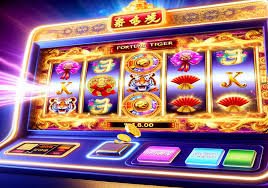
Hundreds of slots available with high-quality graphics, in-game bonuses, free spins, and progressive jackpots. Category-based navigation makes it easy to find the right game for every mood — from classics to recent releases.

Fish Games

166bte fish games feature immersive visuals and skill-based gameplay. On mobile, the touch controls are precise and responsive — a unique experience that is very popular among players in Brazil.

Fast Pix in the App

Make deposits and withdrawals via Pix without leaving the app. The QR Code is generated instantly and the balance appears in your account within seconds. Withdrawals are also processed quickly, sent directly to your registered Pix key.

Push Notifications

Receive alerts about exclusive promotions, new additions to the games catalog, betting results, and daily mission reminders. 166bte notifications are personalized based on your favorite games.

Biometric Login

Access your account with Face ID or fingerprint. No need to type your password every time. The 166bte app supports biometric authentication on both Android and iOS for a fast and secure login.

Native Dark Mode

The app design features a dark background for visual comfort during longer sessions. It is compatible with your phone's system dark mode, without forcing unnecessary screen brightness.

In-App Chat Support

Need help? 166bte support chat is available directly inside the app. Support is provided in English, available every day, without leaving the app to seek help through another channel.

Native App vs Web Version

Both the app and the browser give you full access to 166bte. See the differences to choose the best option for your playing style.

Feature Native App Web Version
Required Installation Yes (fast) No
Biometric login ✔ Face ID / Fingerprint ✘
Push notifications ✔ Personalized ✘
4G performance Excellent Good
Live streaming casino ✔ Optimized ✔ Available
Live sports betting ✔ ✔
Pix in the app/browser ✔ ✔
Offline access (limited mode) Partial ✘
Automatic updates ✔ ✔ Always up to date
Compatibility Android 6+ / iOS 13+ Any modern browser
166bte

Tips for Using the App from 166bte Best

Prefer Wi-Fi for live casino

Live dealer streaming uses more data than slot games. If you are on 4G, check your data plan before joining a roulette or baccarat table. On Wi-Fi, video quality is at its best with no concerns.

Keep the app updated

Each 166bte update brings performance fixes, new games, and sometimes exclusive promotions for app users. Enable automatic updates on the Play Store or App Store to always stay up to date.

Enable biometric login

In the 166bte app security settings, you can enable Face ID or fingerprint recognition. This speeds up access considerably — especially when you want to log in quickly to follow a live bet.

Customize your notifications

Inside the app, you can choose which notifications to receive — promotions only, betting results only, or everything. Configure them according to your preference so you're not disturbed at inconvenient times.

Never share your login credentials

Your 166bte account is personal and non-transferable. Never share your CPF, password, or verification code with third parties — not even with someone claiming to be from support. Official support will never ask for your password.

Use the app's time limits

In the menu of Responsible Gaming, you can set a session time limit. When the time is up, the app will automatically notify you — an effective way to stay in control without relying solely on willpower.

FAQ — 166bte Download

Yes, the download is completely free — for both Android and iOS. You pay nothing to install the app. What involves money are the bets and deposits made within the app, which follow the same terms as the web platform.

Android requires this permission for any app installed outside the Play Store — regardless of which app it is. This is a standard protection built into the Google operating system. The 166bte APK is safe and contains no malicious code. After installation, you can disable the permission again if you wish.

The 166bte app is compatible with Android 6.0 or higher and iOS 13.0 or higher. Most phones sold in Brazil from 2016 onward run Android 6 or above. If your phone is older, the web version works well on virtually any internet-connected device.

Yes. Your 166bte account is single and works across all devices — Android phone, iPhone, tablet, and desktop browser. Your balance, betting history, active bonuses, and VIP level are automatically synced in real time across all platforms.

It depends on what you play. Sports betting and slots use very little data — one hour of play averages less than 50 MB. Live Casino with video streaming, however, can use between 200 MB and 400 MB per hour depending on quality. We recommend using Wi-Fi for long Live Casino sessions.

The 166bte app itself notifies you when a new version is available. You will see a notification or a banner inside the app suggesting the update. Simply tap "Update", and the new APK will be downloaded and installed automatically over the current version — without losing any account data or settings.

Yes. Inside the 166bte app, go to the deposits section and select Pix. A QR Code will be generated instantly — open your bank app, scan the QR Code, and confirm the payment. Your balance appears in your account within seconds. The same process applies for Pix withdrawals.

First, confirm that the "install apps from unknown sources" permission is active for your browser. If it still does not work, try: (1) clearing your browser cache and downloading the APK again; (2) checking that there is enough free storage on your phone — the app needs at least 100 MB free; (3) restarting your phone and trying to install again. If the issue persists, contact 166bte support via the site chat.

Responsible Gaming
The 166bte app includes responsible gaming tools — deposit limits, session time controls, and self-exclusion. Play responsibly. For players aged 18 and over only. If you need help, visit the Responsible Gaming.

Download Now and Play with 166bte Anywhere

Install the free 166bte app on your Android or iOS, create your account in minutes, and enjoy sports betting, live casino, slots, and much more — whenever and wherever you want.

Exclusively for players aged 18 and over. Play responsibly.

Português (Brasil)